Start with one page: your message, proof, and one clear action.
FRESHEST REPLAYSFacebook • Guide 3+
New session replays are normally loaded within 24–48 business hours after the live session. You must be a member of the AI-Assisted Entrepreneur Sprint Facebook community to view them.
Open Facebook Guide 3 →FOREVER REPLAY ACCESSAI-Assisted Academy+
After about one week, replays move to the AI-Assisted Academy, where your long-term course access lives.
Open the Academy → Academy or course-account help: rockstarservice@industryrockstar.comBUILDERS LIBRARYGuides, maps & build tools+
Use the clarity guides and blueprints to understand the build before opening the machinery.
No live Builders Community session on Saturday, October 3, 2026. We’re giving our noggins a breather. Enjoy the weekend, Rockstars!
LATEST • SATURDAY, SEPTEMBER 26, 2026
Set up BOSS Light in Claude & ChatGPT
Kevin walked through the starter plugin, dashboard setup, and common file-selection problems. Start with one app and one useful task.
- Read the recap to choose your setup path.
- Use the community bundle and unpack it into its own folder.
- Test one task before adding more connections.
The replay is available in Facebook Guide 3. The BOSS Light bundle download is pending here; use the community materials rather than an unrelated plugin.
The August 22 website-building guides and skill remain together in Session 28. The August 29 publishing follow-up and its handouts are in Session 29. September 19 and 26 are Sessions 30 and 31 in the community replay list.
View all session packages →WEBSITE BUILDING — MADE SIMPLE
Build the page first. Connect the rest when you need it.
You do not need to solve hosting, domains, forms, or automations before you make a useful first page.
- 1BuildMake the first version.
- 2ReviewLook at the real page.
- 3PublishPut it online when ready.
- 4MaintainKeep it useful and current.
WHAT ARE YOU TRYING TO DO?
Choose the closest starting point.
Show the current site, name what is not working, and change one section at a time.
Choose the destination after you know what the finished page needs to do.
Your files go to hosting. Your domain and DNS point people to it.
Check ownership, access, hosting, and the requested outcome before changing anything.
Do not worry about this on your first draft:
custom domainDNSAPI connectionsCRM formsautomations
Your website filesThe page you built→
HostingThe online home→
Domain + DNSThe address and directions→
Live websiteWhat visitors see
QUESTIONS FROM THE AUGUST 22 Q&AOpen the simple answers.+
Do I need every AI tool?
No. Start with one tool you can access and one useful outcome. Add another tool only when it solves a real gap.
Do I have to download Codex?
Use the version available in your account. The exact screens may change, but the build process stays the same: describe, preview, revise, and save.
Can this work with GoHighLevel, WordPress, or Google Sites?
Often, but the handoff depends on the destination, your access, and the files it accepts. Build the page first, then choose the safest way to move it.
Should I update or rebuild an existing website?
First check who owns it, where it is hosted, what is working, and what the client wants. Then choose the smallest change that gets the result.
Can I model a website I like?
Model the structure or idea—not its words, images, branding, or identity. Make the final site honestly yours.
How do I keep from losing my work?
Save a named checkpoint before a major change. Preview after each useful update so you always know what changed.
Build safely: Keep approval on while you learn. Never paste passwords, private customer data, or secret keys into a public chat.
UPCOMING BUILDERS SESSIONS
What’s happening next
Dates below come from the Sprint calendar, with announced cancellations applied. There is no live Builders Community session on Saturday, October 3, 2026.
Checking the live calendar…
Times are shown in your device’s time zone. Session access stays in Facebook Guide 3.
START WITH THE OUTCOME
What are you trying to do today?
Tell us what you need. We’ll point you toward the closest session or blueprint—without making you dig through everything.
PLAIN-ENGLISH BUILDER TERMSWhen the words get technical, open this.+
BUILDER TERMINOLOGY
Learn the job behind the word.
You do not have to memorize everything. Search the term that stopped you, understand its job, then go back to the workflow.
Still sounds technical?
Ask ChatGPT or Claude to explain the term like you are in fifth grade, then give you one Builders Community example.
BUILDER FOCUS MAP
Where do you need clarity today?
Choose the work in front of you. The recommended starting point changes with your outcome.
RECOMMENDED NEXT MOVE
Choose the kind of work in front of you
Pick Meet, Make, Show, or Link. We’ll show the best place to start.
Open matching blueprints →GUIDES & DOWNLOADS
Every guide and download in one place.
Each card now shows the session it supports. If you want the lesson and its files together, use the Session Packages section.
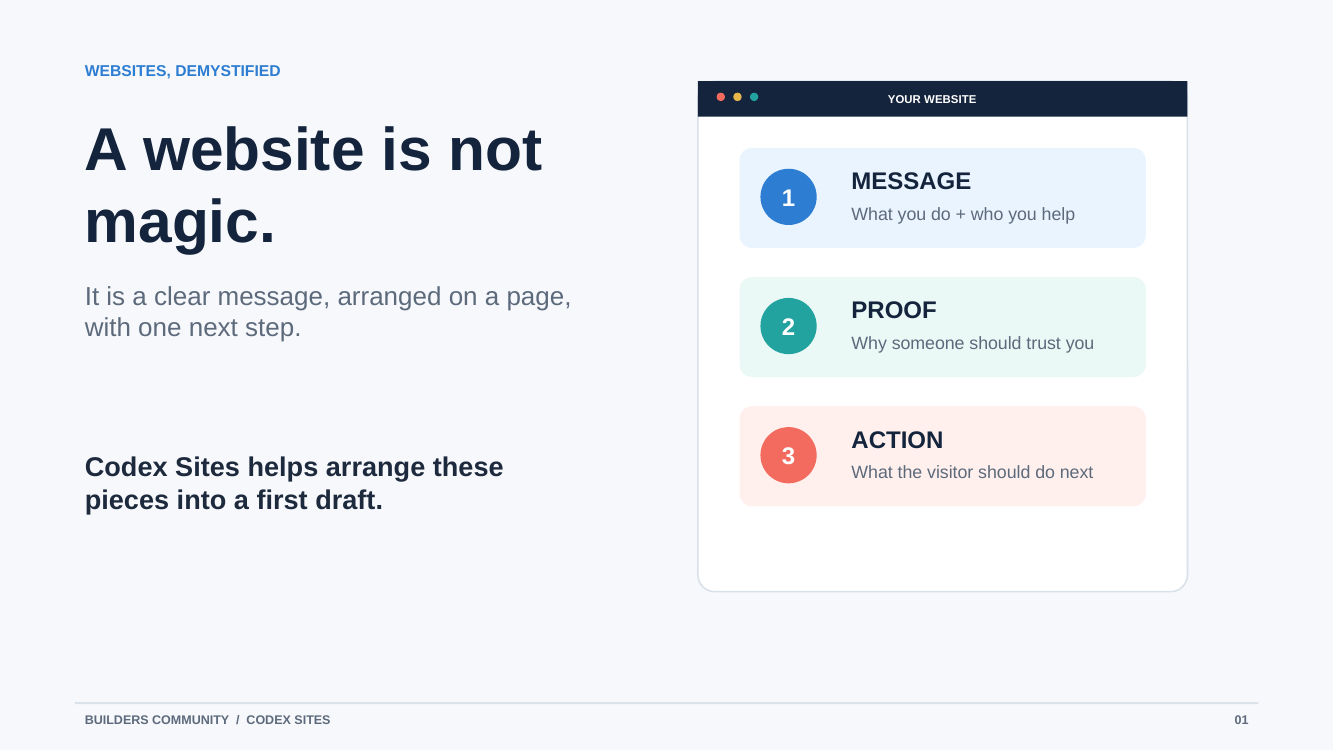
SESSION 28 • START HERE
Build Your Website with Codex Sites
The short student path from adding the skill to saving your first website
OPEN START HERE →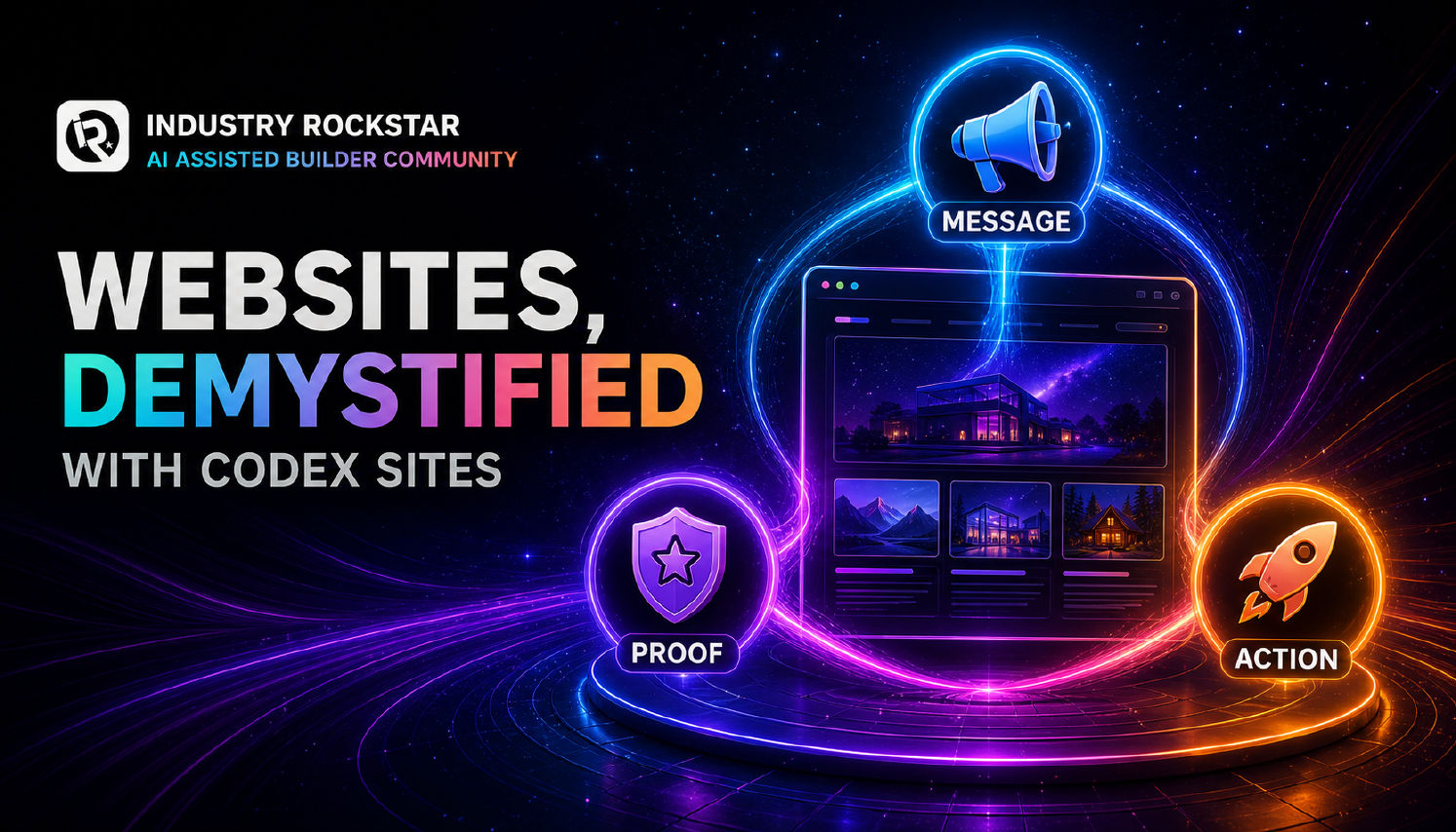
SESSION 28 • SKILL
Guided Website-Building Skill
Upload this ZIP into Codex Skills and let it guide the complete first build
DOWNLOAD THE SKILL →
SESSION 28 • CLASS SLIDES
Websites Demystified
Message, proof, action, design choices, and the build-look-ask-save loop
OPEN THE SLIDES →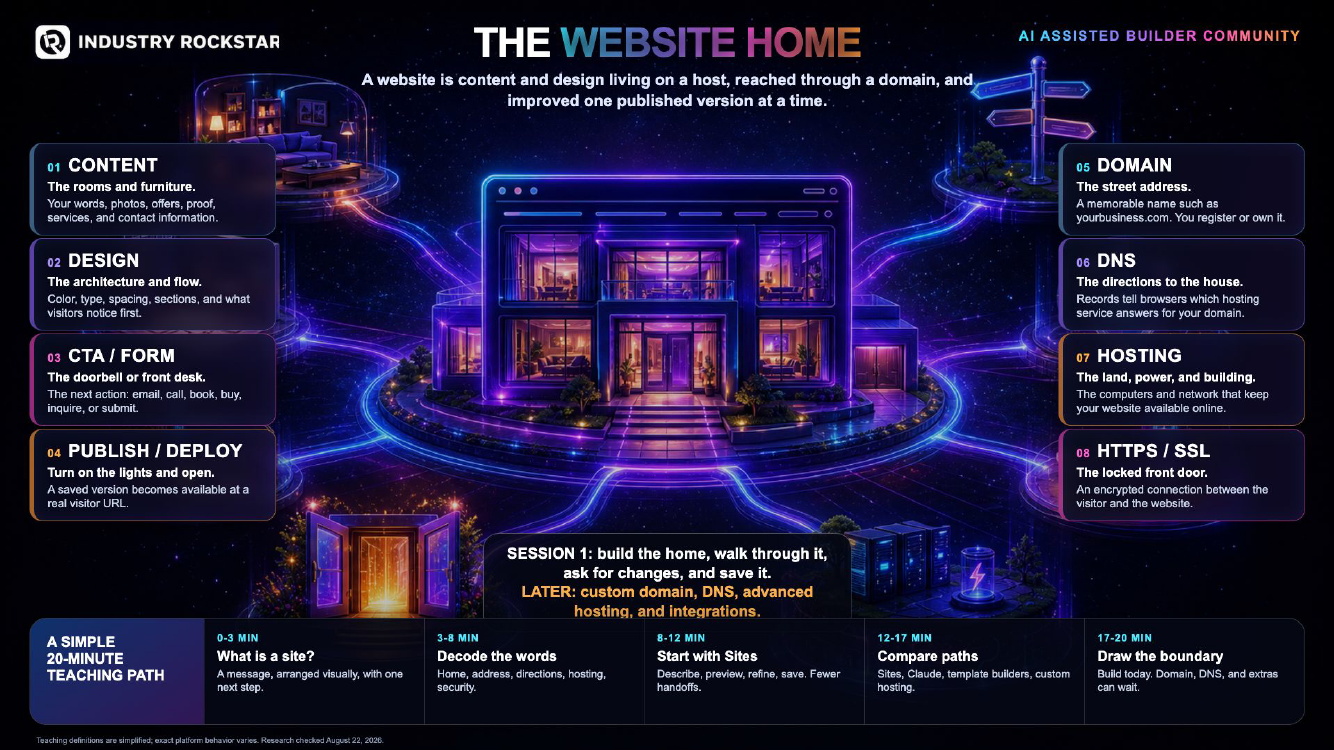
SESSION 28 • INFOGRAPHICS
Website Terms & Tool Paths
Plain-English website terminology and four valid ways to build
OPEN THE VISUAL GUIDE →
SESSION 28 • VISUAL RECAP
Website-Building Visual Deck
Six illustrated reminders for building a useful first website without overwhelm
OPEN THE VISUAL DECK →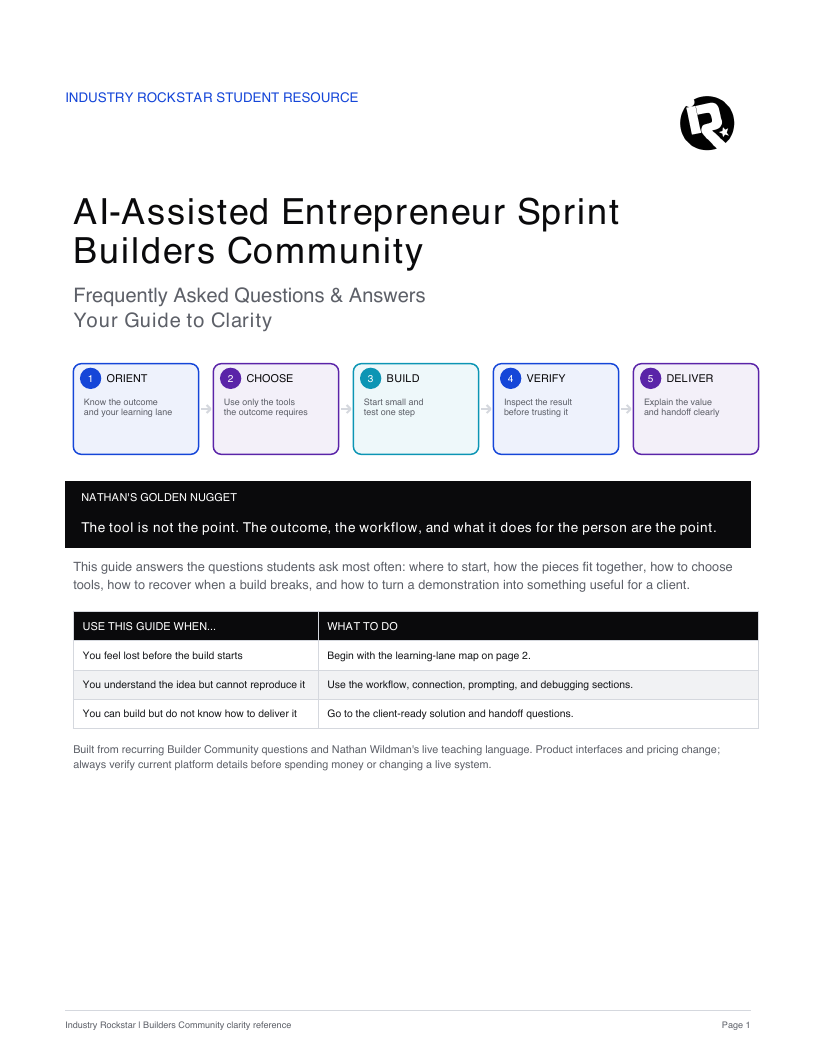
START HERE
FAQ & Clarity Guide
Where to start, how the pieces fit, and what to do next
OPEN THE GUIDE →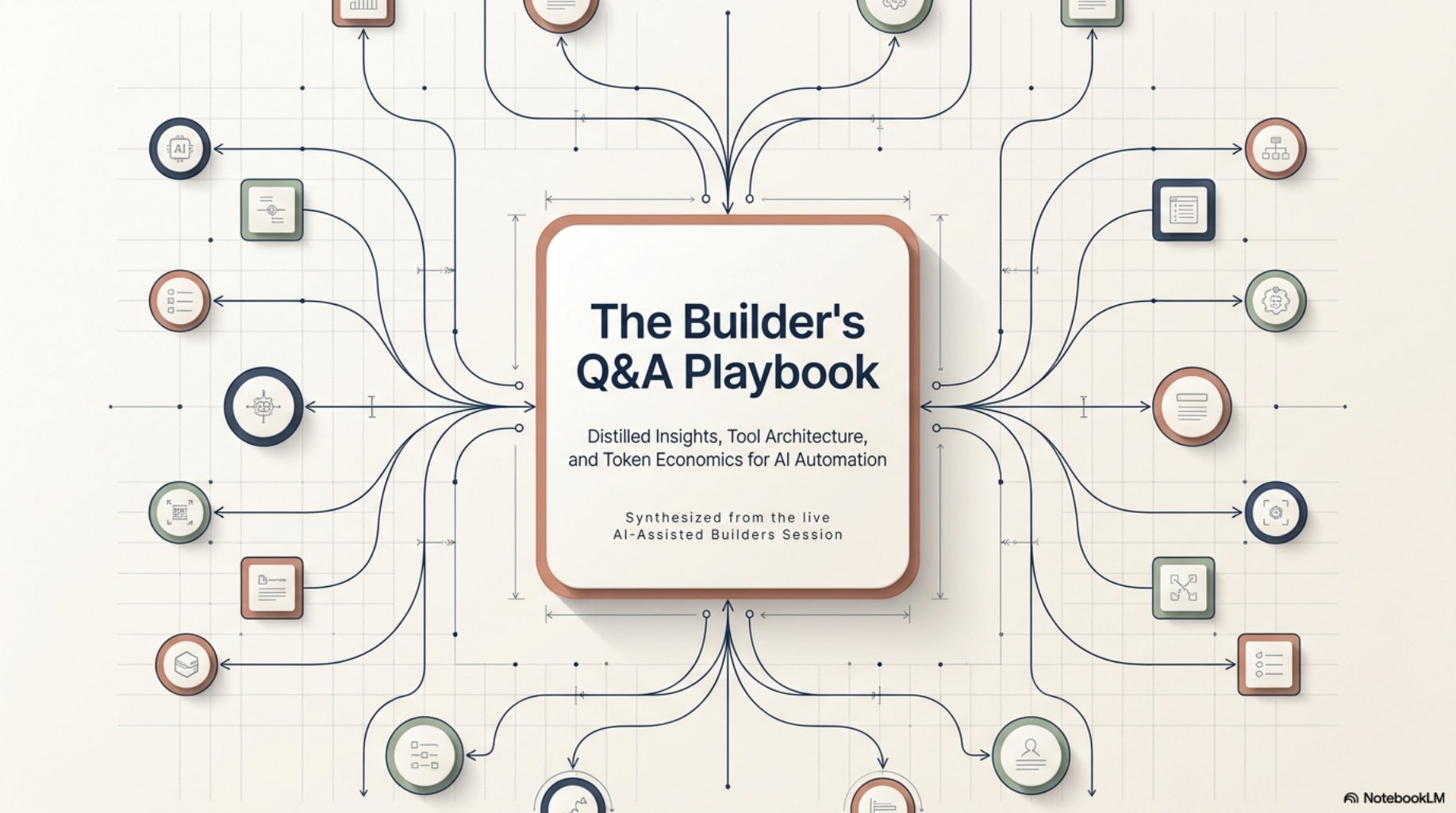
CLARITY
Builder's Q&A Playbook
Recurring questions, tool architecture, and practical answers
OPEN THE PLAYBOOK →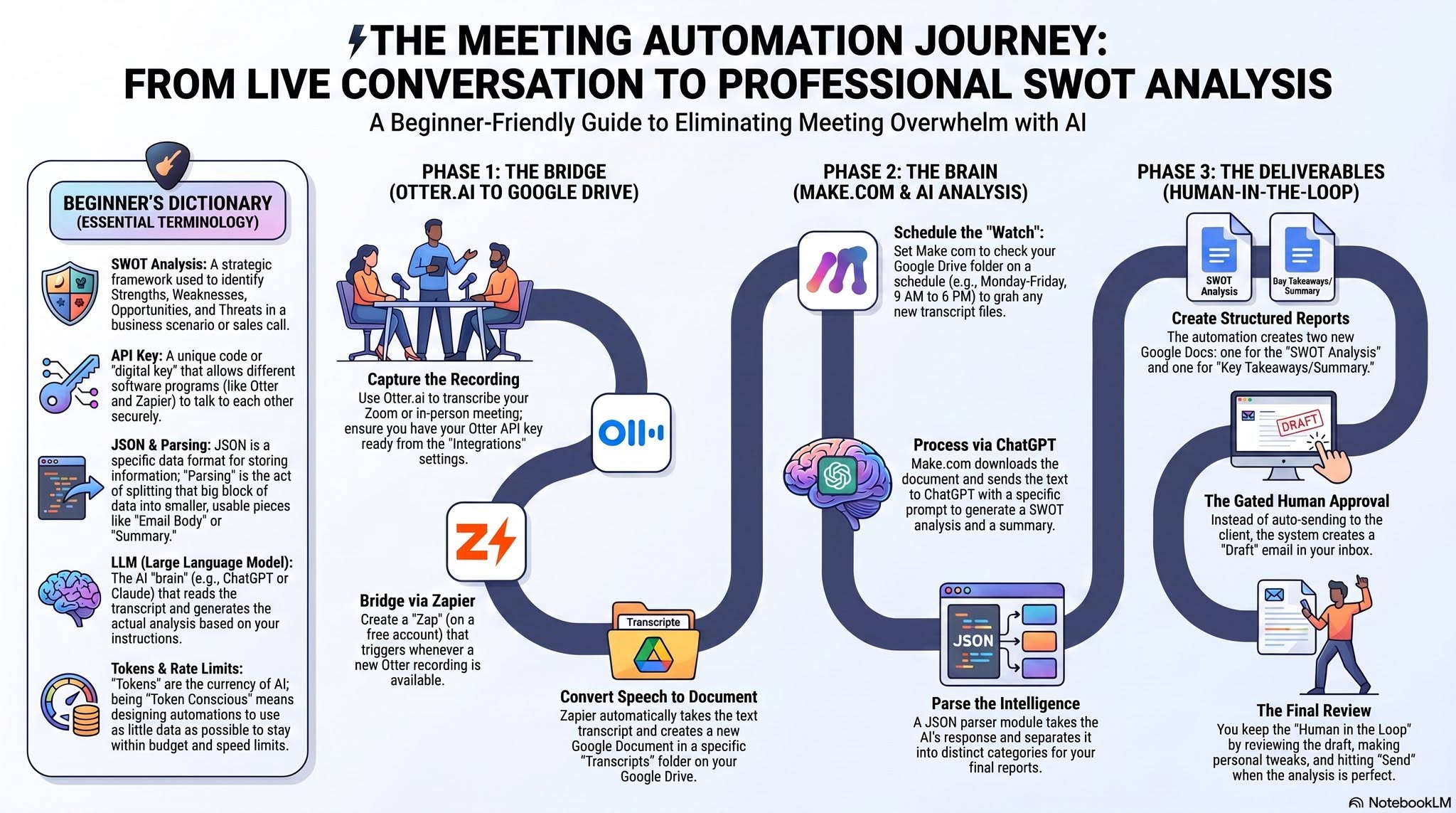
CAPTURE
AI Meeting Factory
Transcript → insight → follow-up
OPEN BLUEPRINT →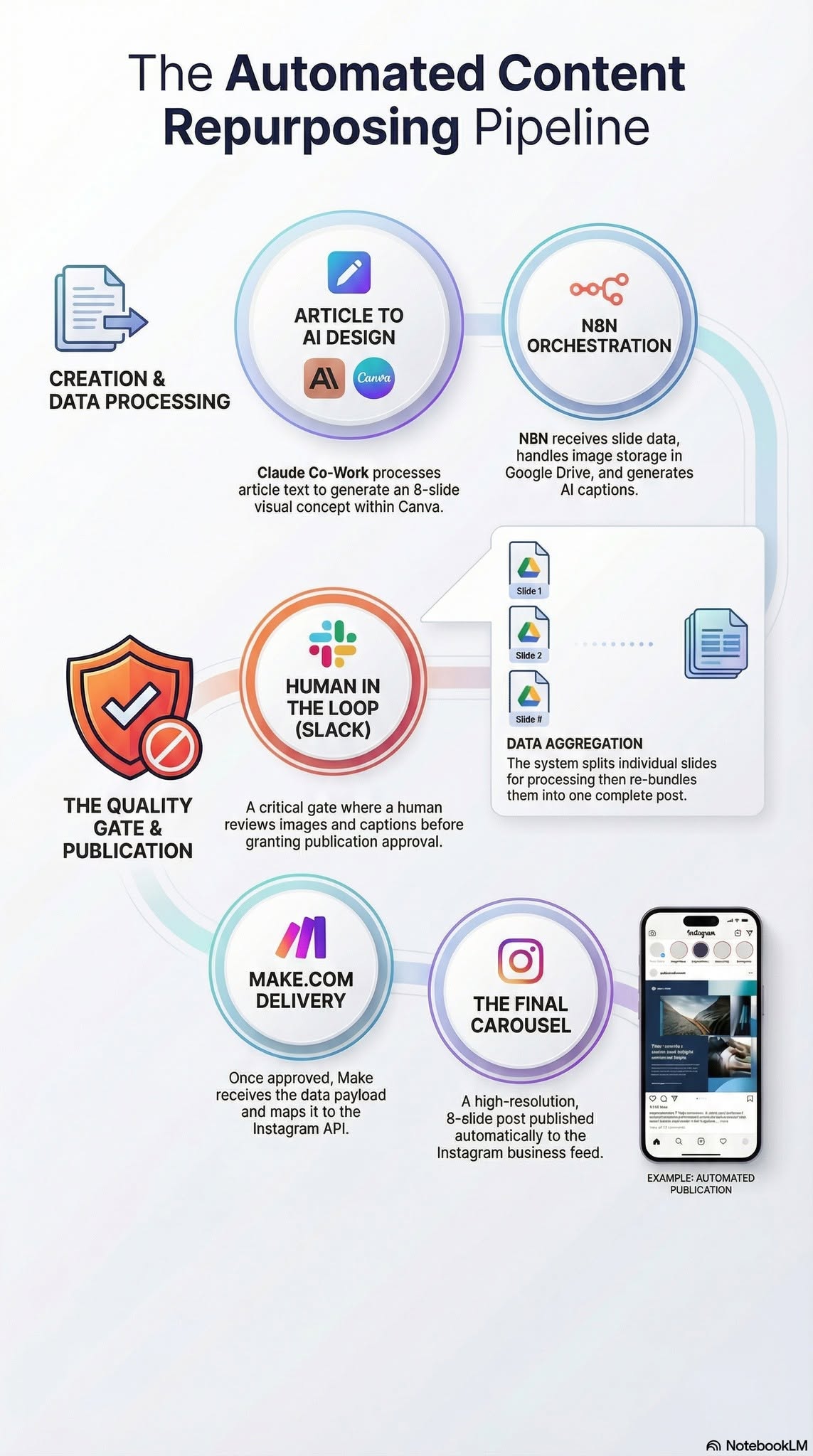
SHAPE
Content-to-Carousel
Source → sequence → design
OPEN BLUEPRINT →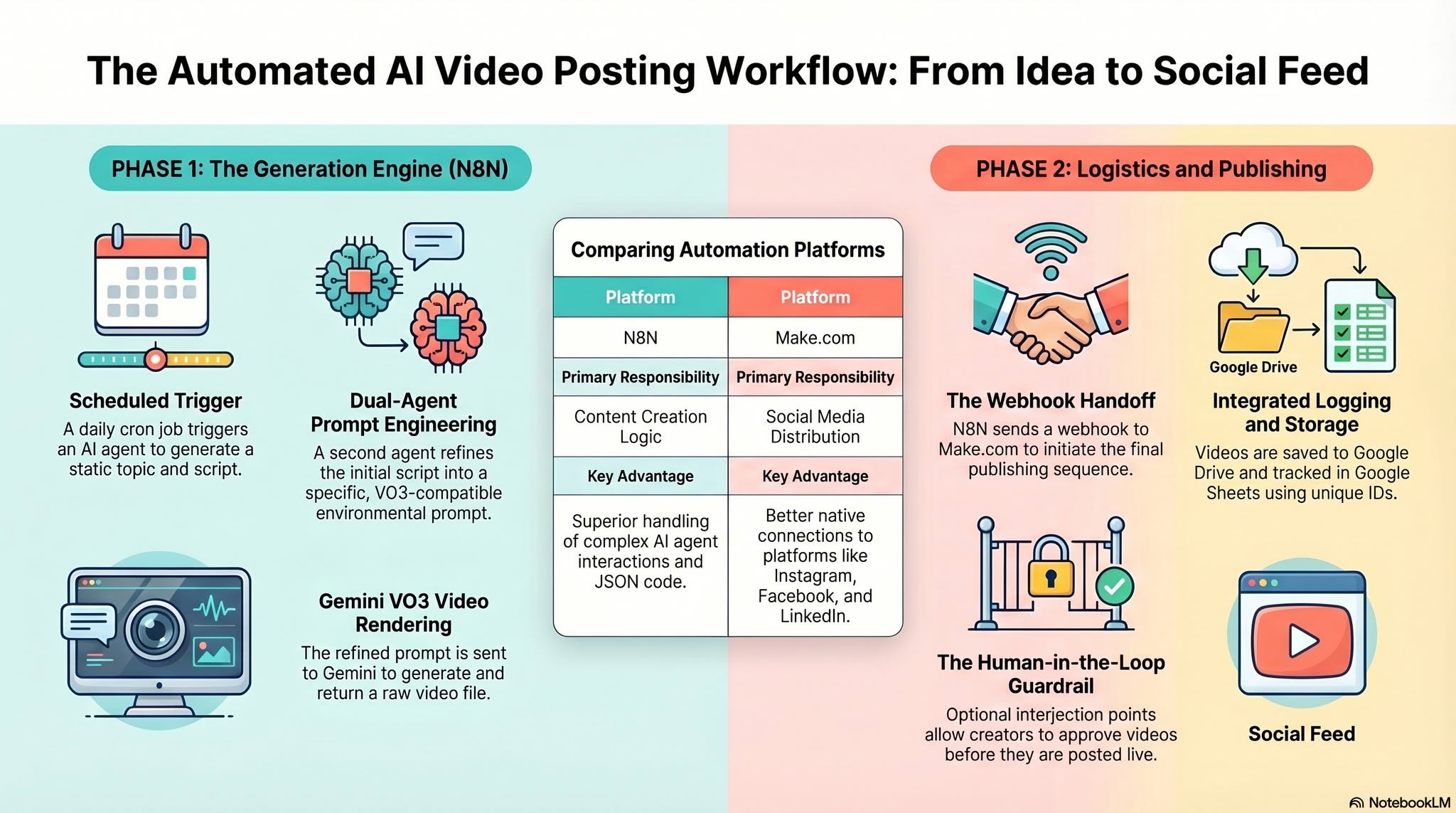
PRODUCE
Video Publishing Pipeline
Generate → approve → publish
OPEN BLUEPRINT →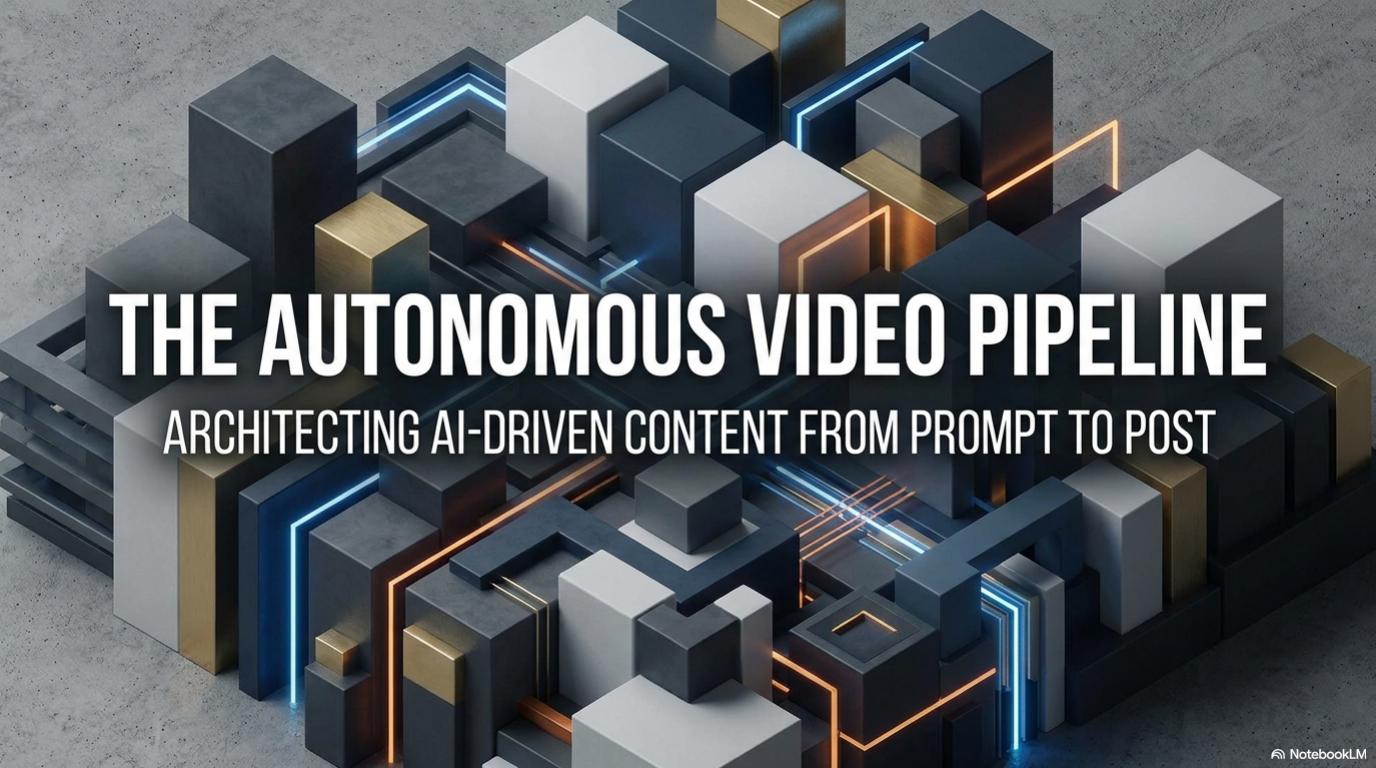
PRODUCE
Autonomous Video Architecture
Foundations, tool selection, and system design
OPEN THE ARCHITECTURE →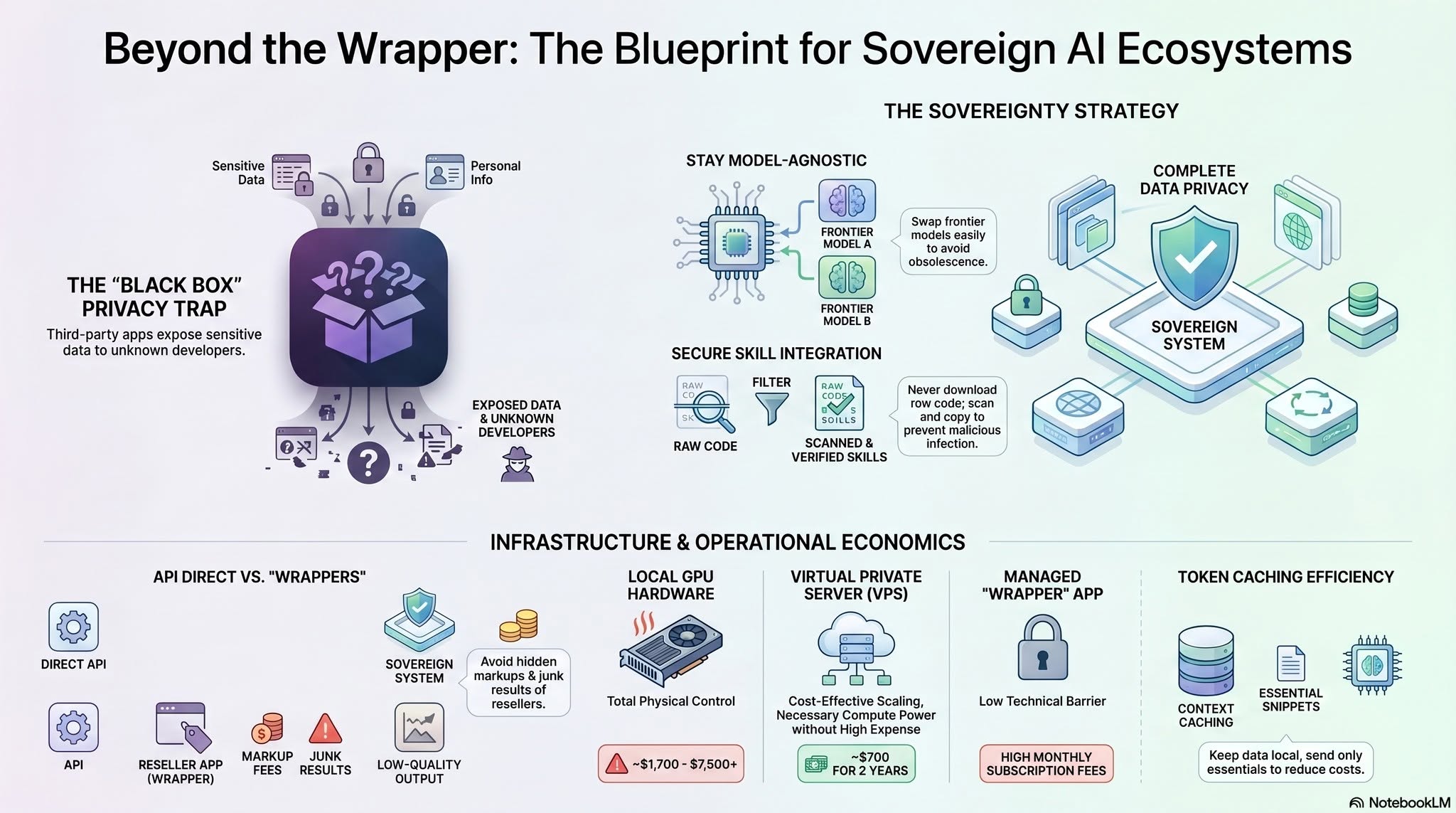
OWN
Sovereign AI System
Tools → memory → control
OPEN BLUEPRINT →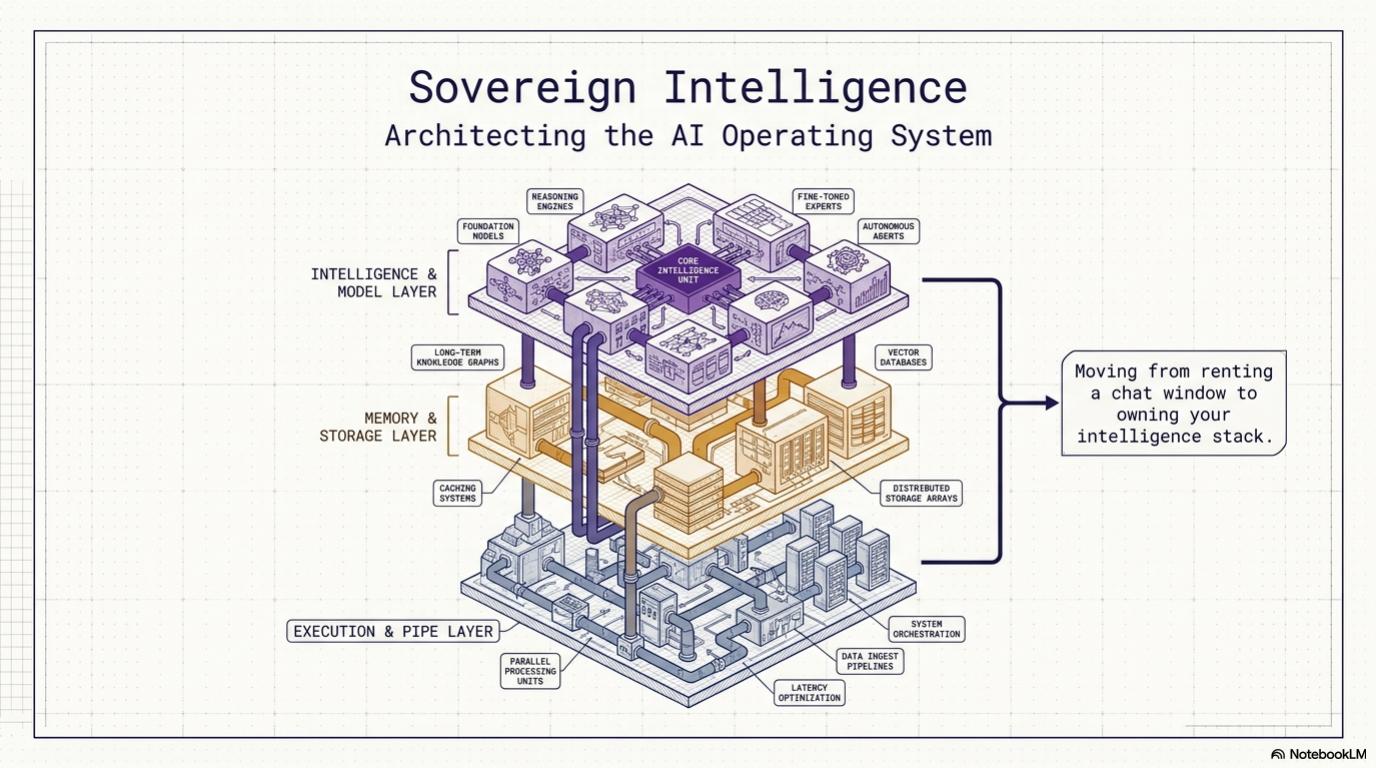
OWN
Sovereign AI Architecture
See how the operating layers connect
OPEN THE ARCHITECTURE →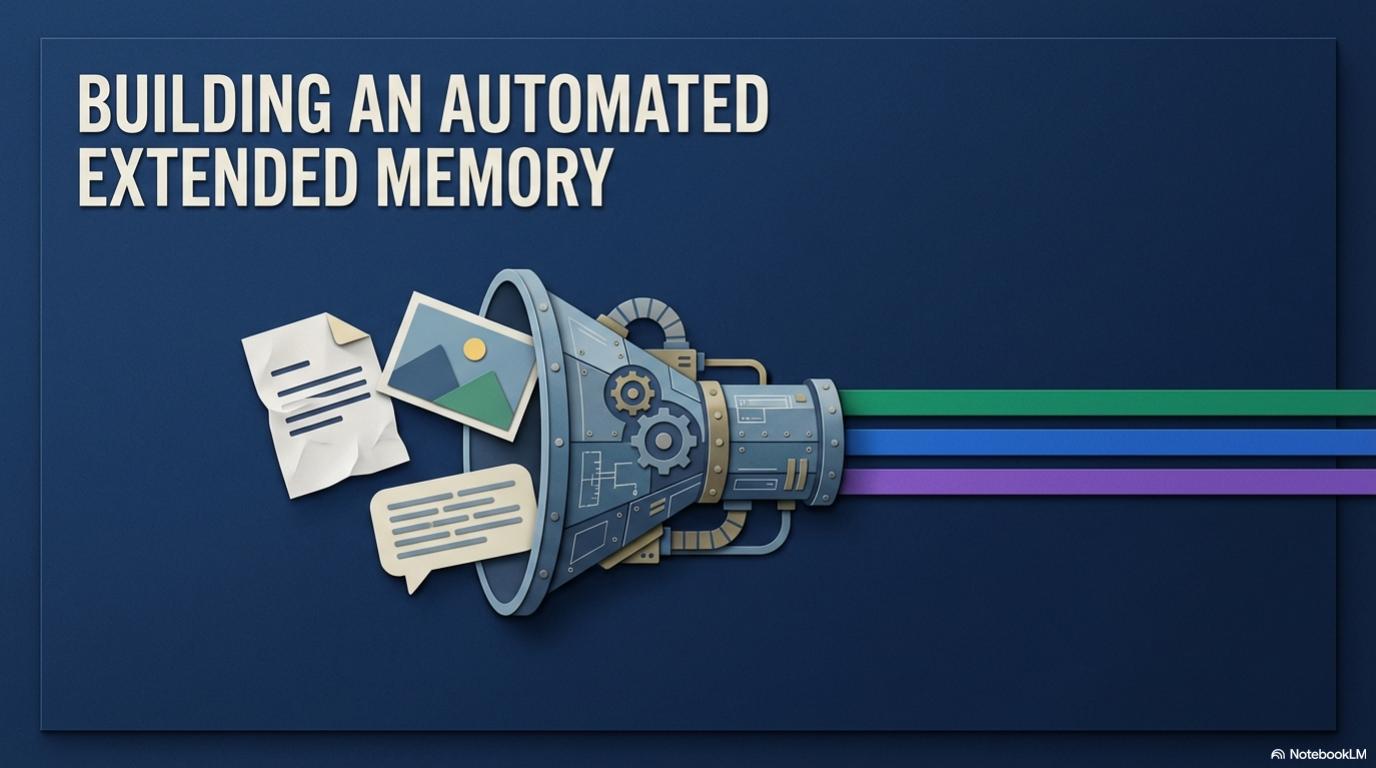
REMEMBER
MultiPath Second Brain
Build an extended memory switchboard
OPEN THE MEMORY MAP →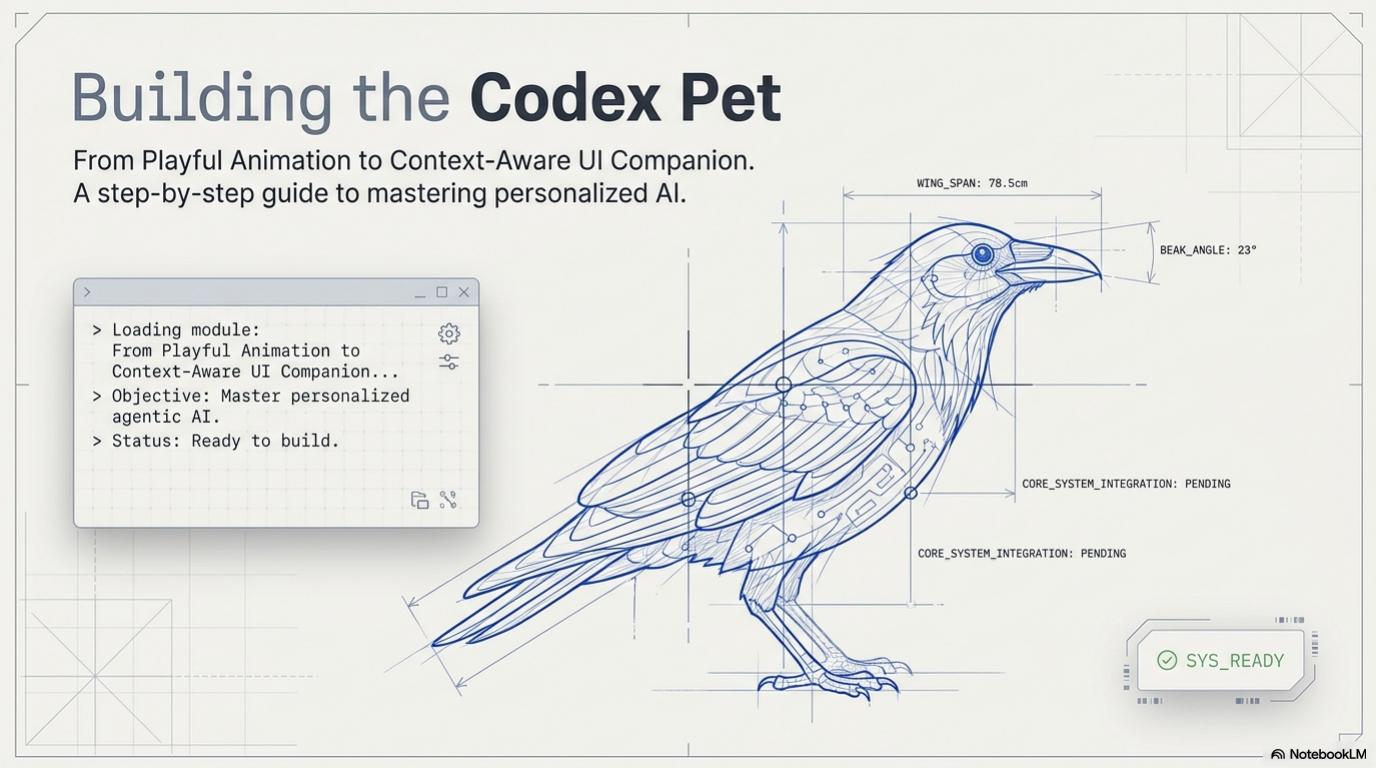
BUILD
Codex Pet Blueprint
A hands-on agentic companion build
OPEN THE BLUEPRINT →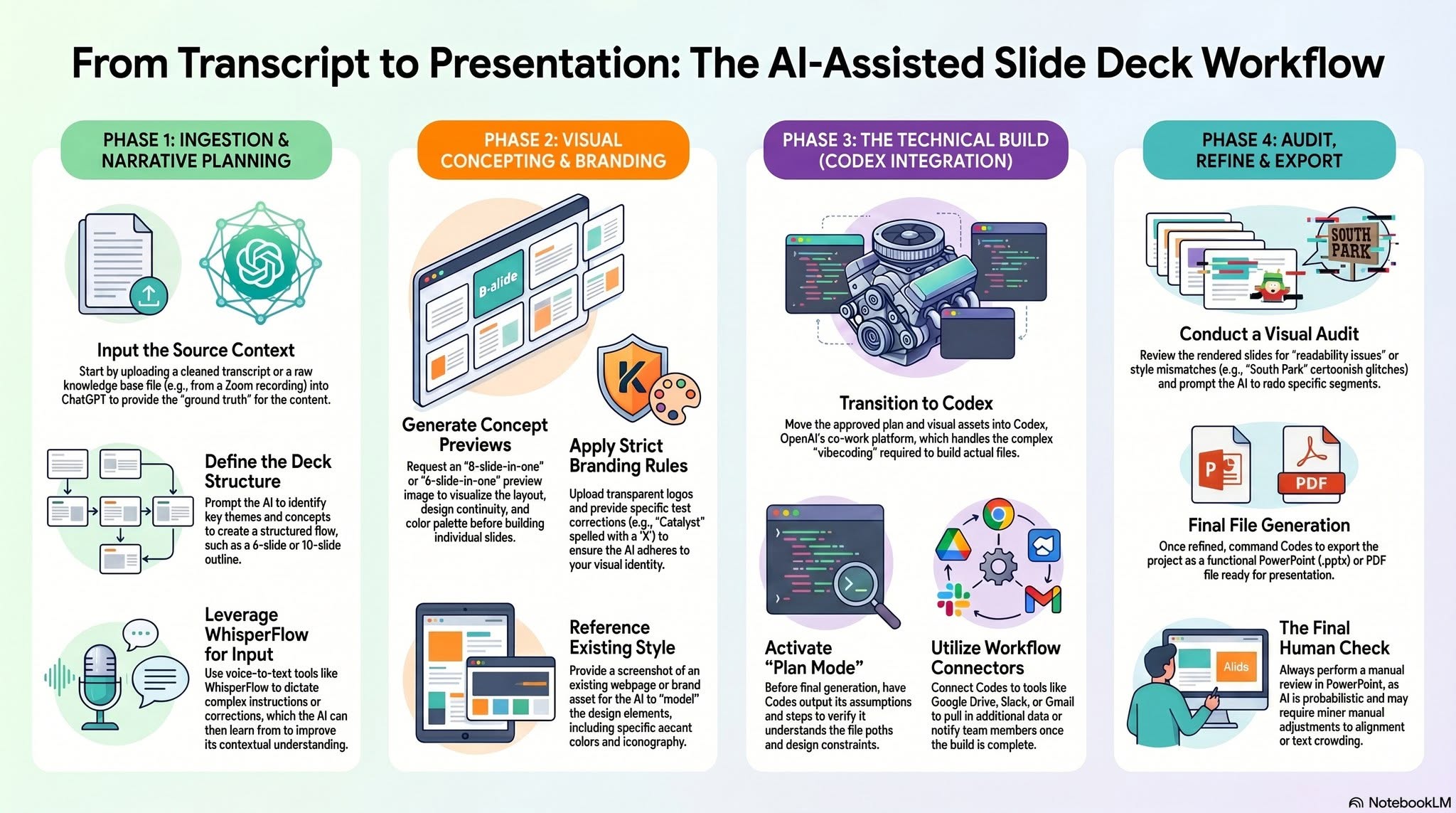
TOOLKIT
Slide Deck Co-Pilot
Prompt, skill, handout, and working examples
DOWNLOAD THE TOOLKIT →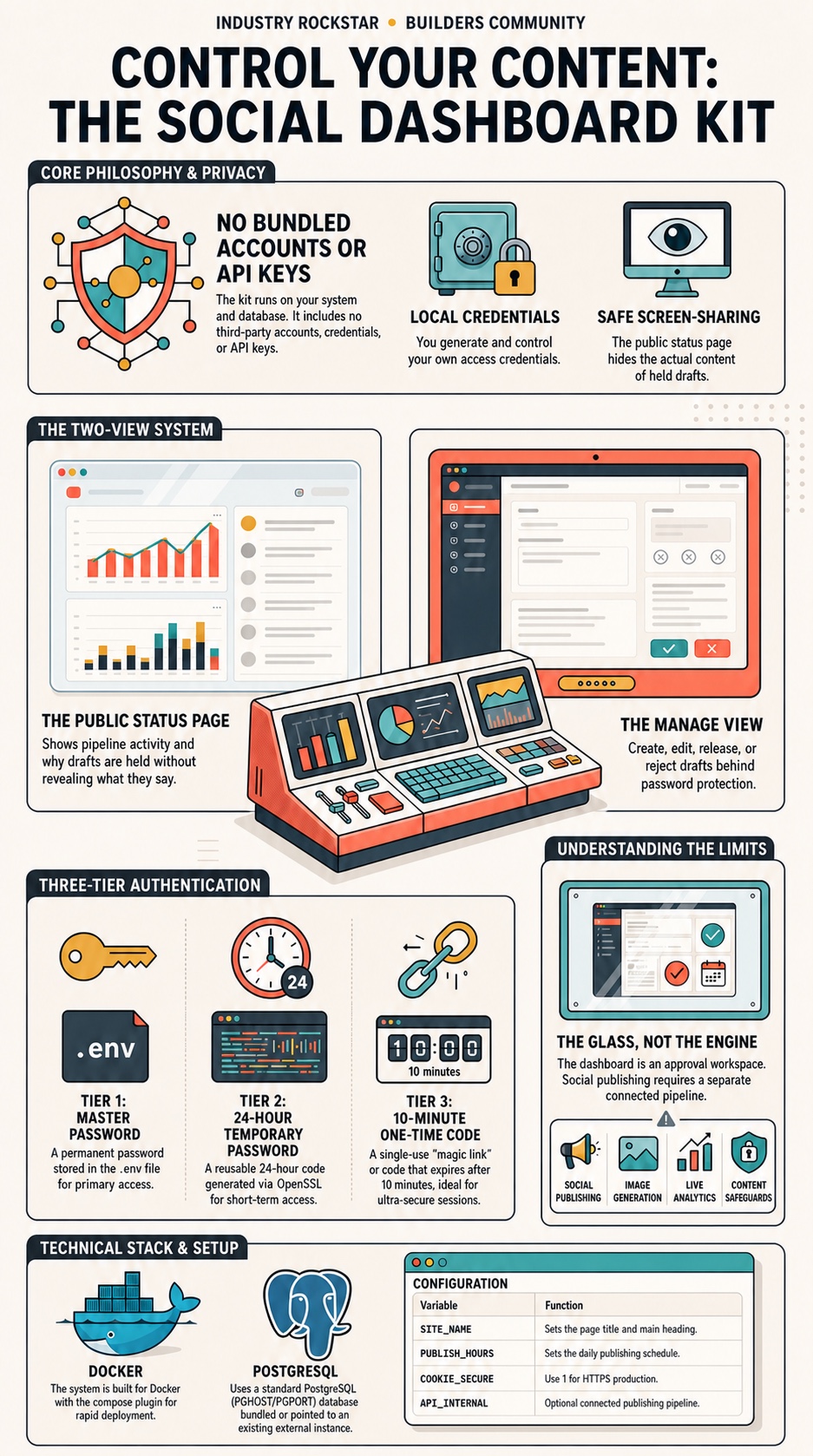
JUL 25–AUG 8 • VISUAL GUIDE
What the Social Dashboard Kit Includes
Views, access options, technical foundation, and the limits of the starter kit
OPEN THE INFOGRAPHIC →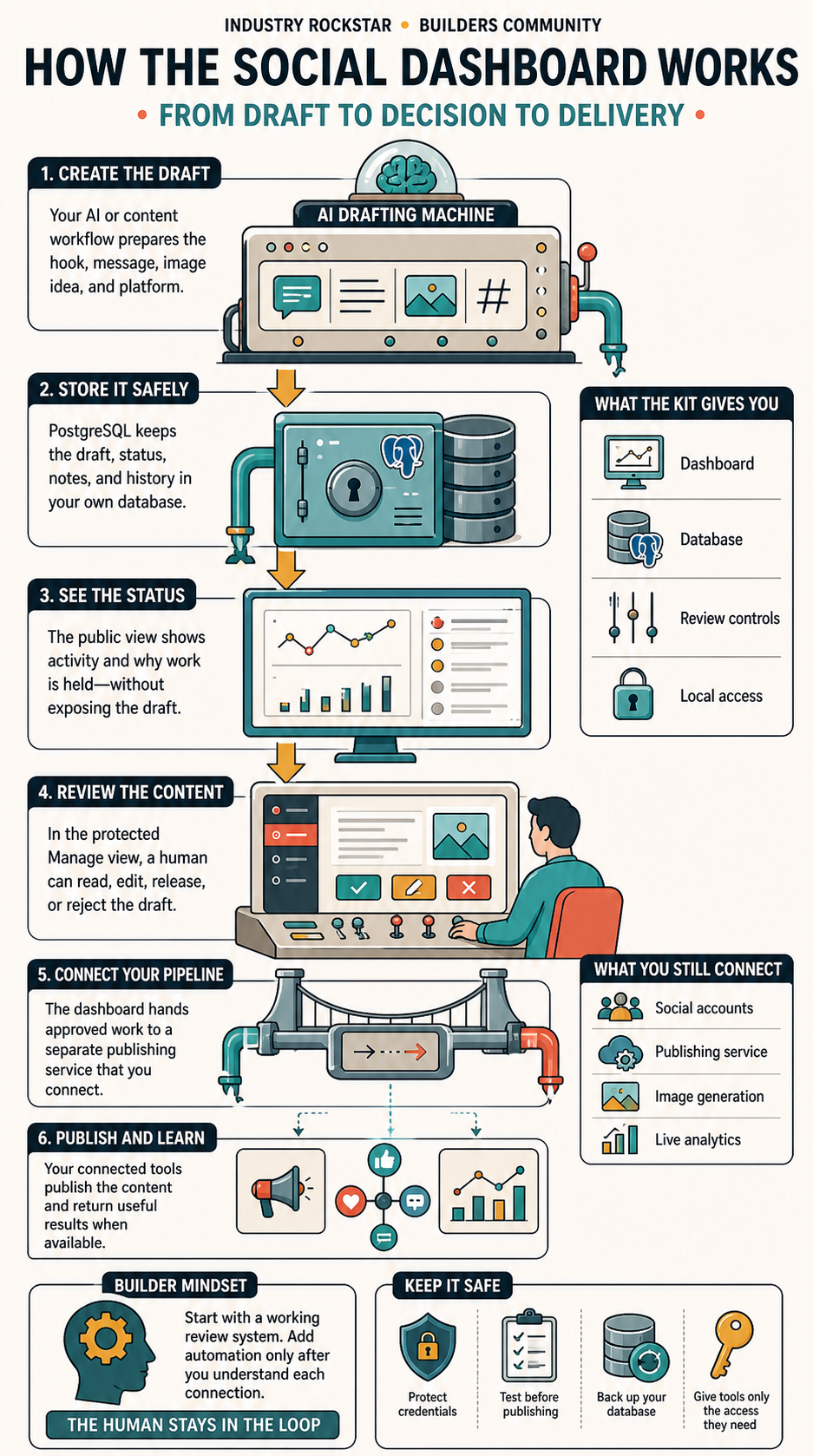
JUL 25–AUG 8 • WORKFLOW
How the Social Dashboard Works
Follow a draft from creation and review to a separately connected publishing pipeline
OPEN THE WORKFLOW →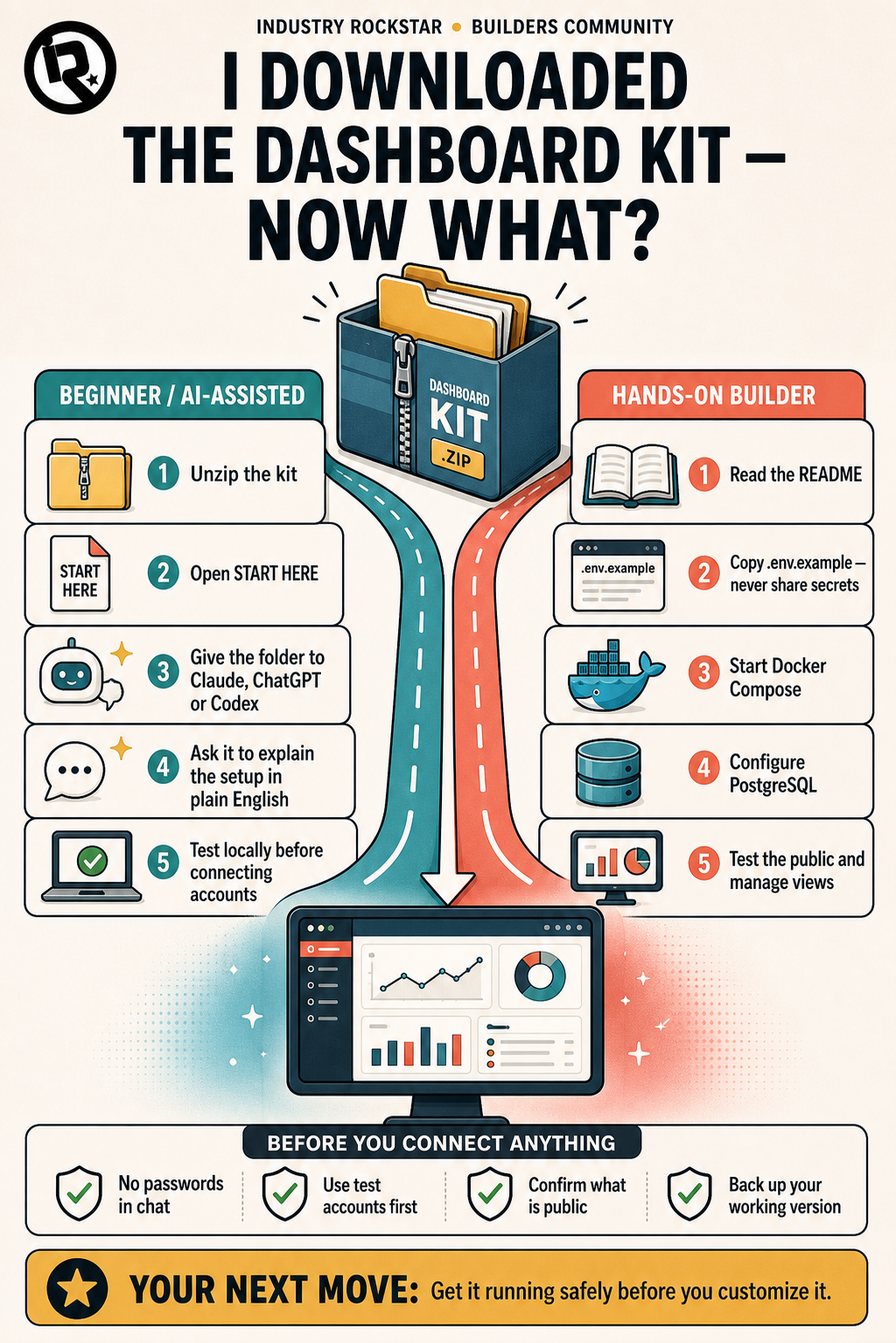
SOCIAL DASHBOARD CLARITY 1
I Downloaded the Kit—Now What?
Choose the beginner or hands-on path and get the kit running safely
OPEN THE STARTING MAP →
SOCIAL DASHBOARD CLARITY 2
VPS, VPN, SSH & Tailscale
Understand the computer, private road, secure key, and running app
OPEN THE CONNECTION MAP →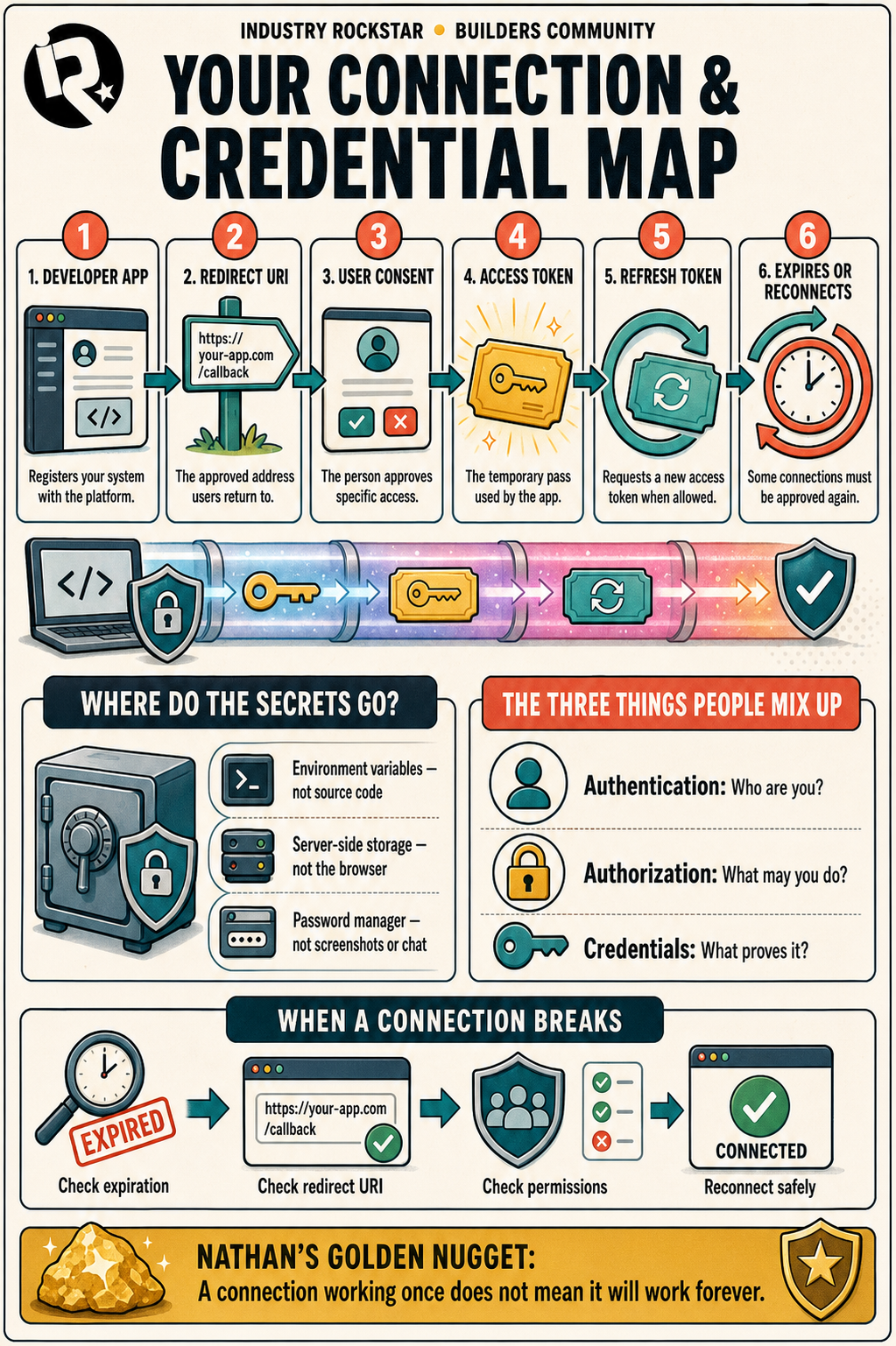
SOCIAL DASHBOARD CLARITY 3
Connection & Credential Map
See how consent, tokens, expiration, and safe secret storage fit together
OPEN THE CREDENTIAL MAP →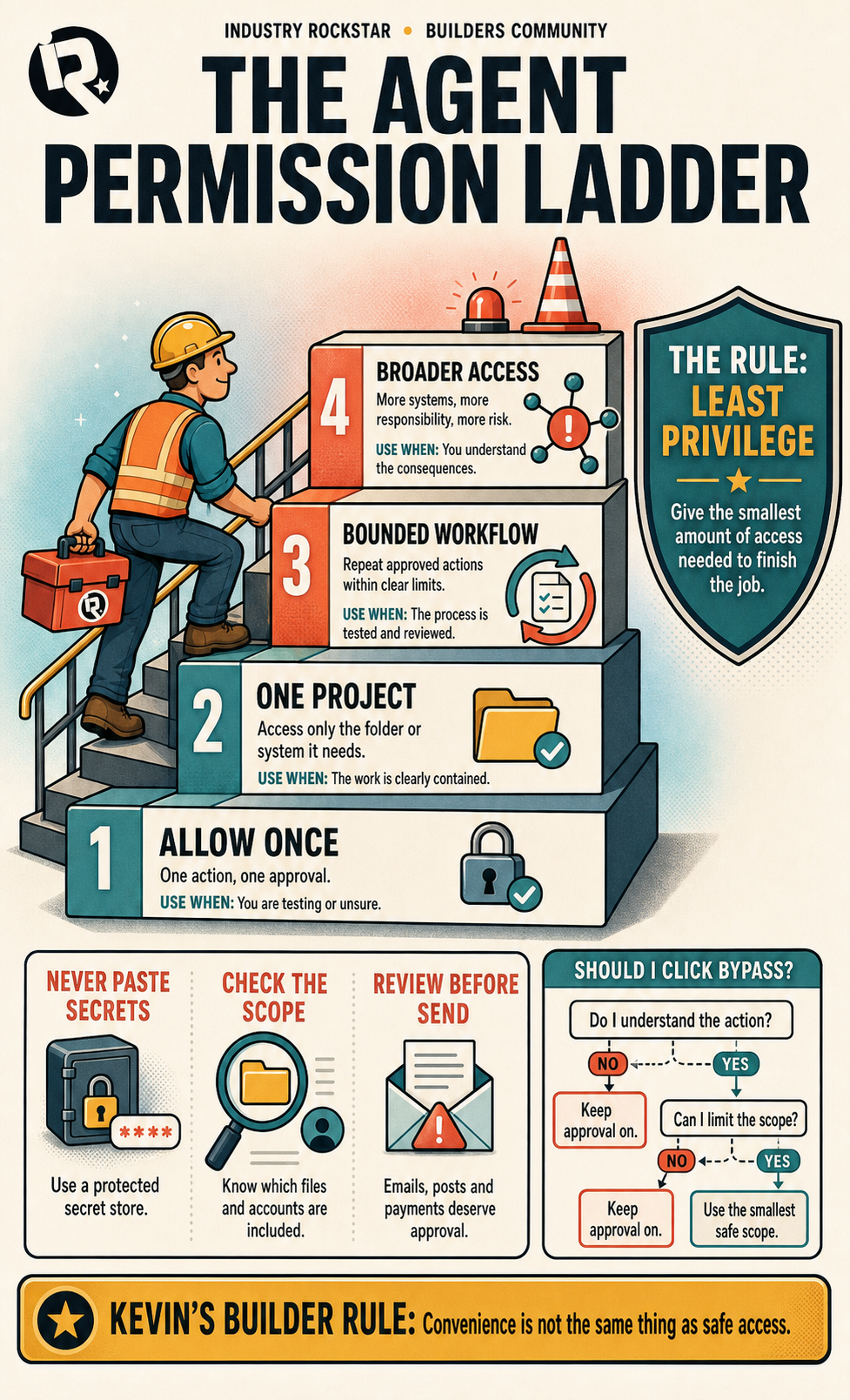
SOCIAL DASHBOARD CLARITY 4
The Agent Permission Ladder
Give an agent only the access it needs, with approval where it matters
OPEN THE PERMISSION GUIDE →
JUL 25–AUG 8 • TOOLKIT
Social Media Dashboard Kit
Self-hosted starter with setup guide, database, public view, and manage workflow
DOWNLOAD THE ZIP →SESSION PACKAGES
Everything from each lesson, together.
Open a session to see what we covered, the replay location, matching handouts, and your next move. Newest sessions are shown first.
No close match yet. Try a broader word, or browse all sessions.
GOLDEN NUGGETS FROM THE BUILDERS SESSIONSThe practical ideas worth carrying into every build.+
NATHAN, KEVIN & BUILDING TOGETHER
Build for the outcome. Keep the human responsible.
These principles are lightly tightened from the verified Builders transcripts. Choose a voice, then swipe or scroll through the lessons.